
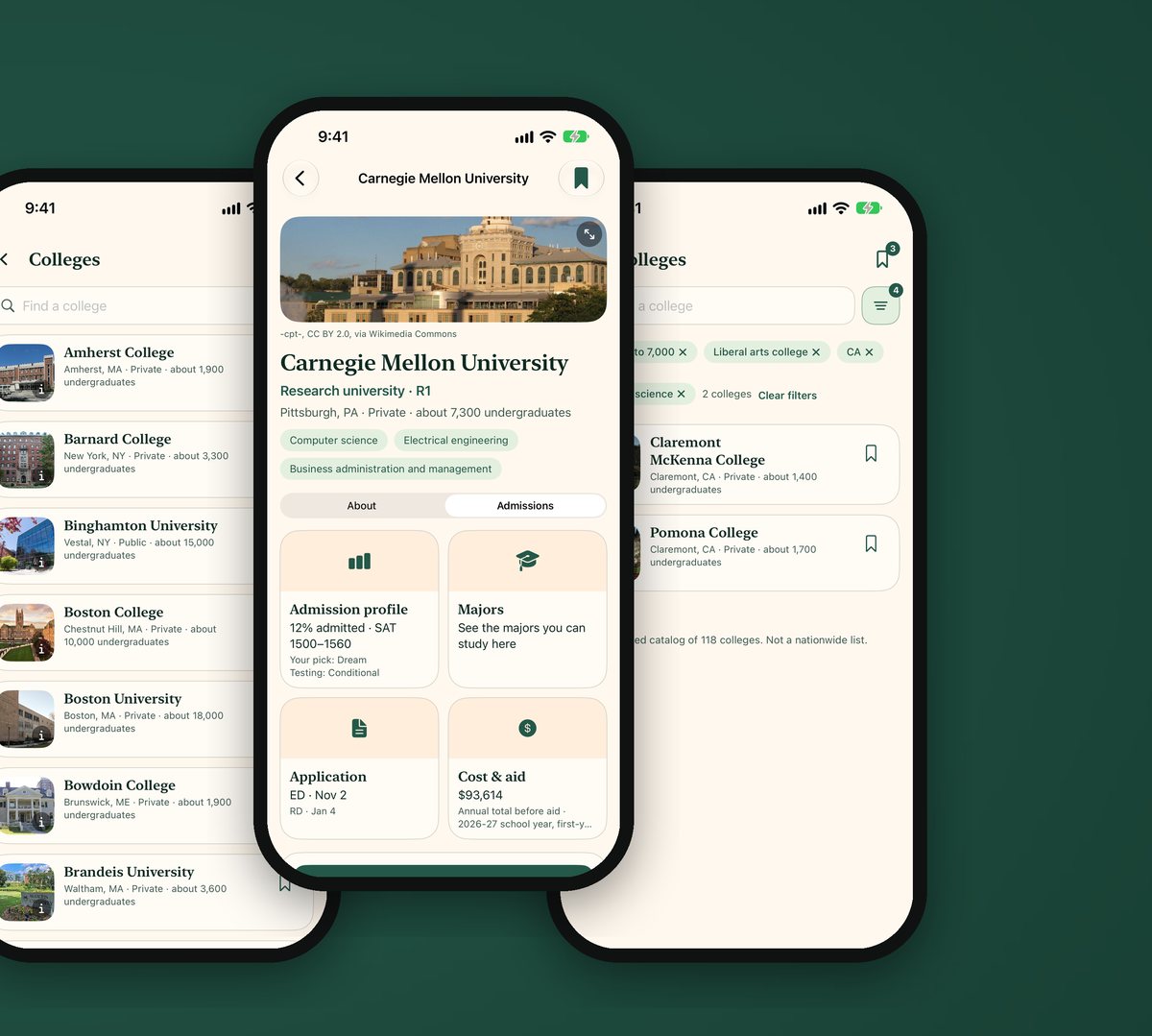
Most college planning happens years before an application is due. CollegeDream 1.2, on the App Store since November 11, 2026, turns the home screen into a timeline so a family can see what matters this season and what comes next.
A timeline for each grade and season
Enter the graduation year once and the app shows the steps for this season, with the seasons ahead below. The grade moves up by itself each year. Every step has a short checklist and a place for notes, and a step can move to a better time and back again.
Test prep
A test plan shows which tests to take and when, grade by grade. The SAT, ACT, PSAT 8/9, PSAT 10, PSAT/NMSQT, AP and IB each have a page with official test dates and fees and links to free official practice. Practice and official scores can be saved in one place. When a date has not been published yet, the app links to the official page instead.
Choosing a counselor
Most students apply with help from their school counselor, and some families also hire a private one. A short guide explains what each does, with questions to ask and warning signs. It is a guide only: the app does not list or recommend counselors.
Cleaner screens
Each screen carries less. Home has one list of seasons and three cards for colleges, summer camps and the counselor guide; All tasks shows every task as a card with a checkbox.
Get the update
Version 1.2 is a free update for current users. Read the full story on collegedream.app, or get CollegeDream on the App Store ($1.99 for iPhone; the full summer program list is an optional in-app purchase). For the first release, see CollegeDream Is Here.
CollegeDream is made by TravelPal LLC and is not affiliated with any college or testing organization. Confirm important dates and requirements with the college or test maker.