
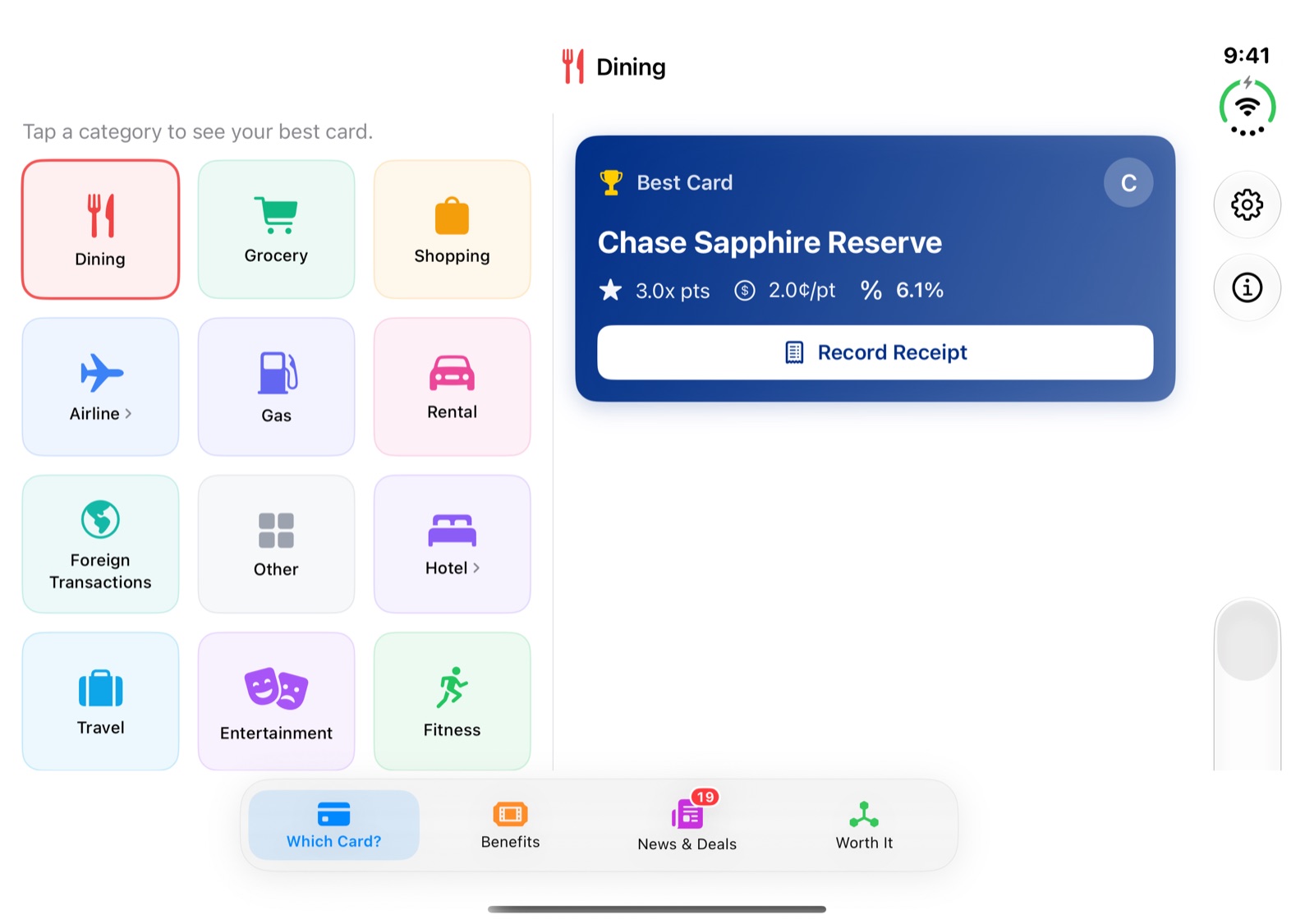
The inner screen of iPhone Duo is wide enough for two things at once, so CardPecker 1.7.8 shows two. Pick something on the left and the answer appears on the right, with no screen to go back from.
Two panes where it helps
- Which Card: the category grid stays on the left and your best card shows beside it. Tap another category and the answer changes in place.
- News & Deals: the list stays on the left and the story you're reading opens on the right.
- Worth It: compare two hotels or two flights with the questions on the left and the answer on the right, updating as you type.
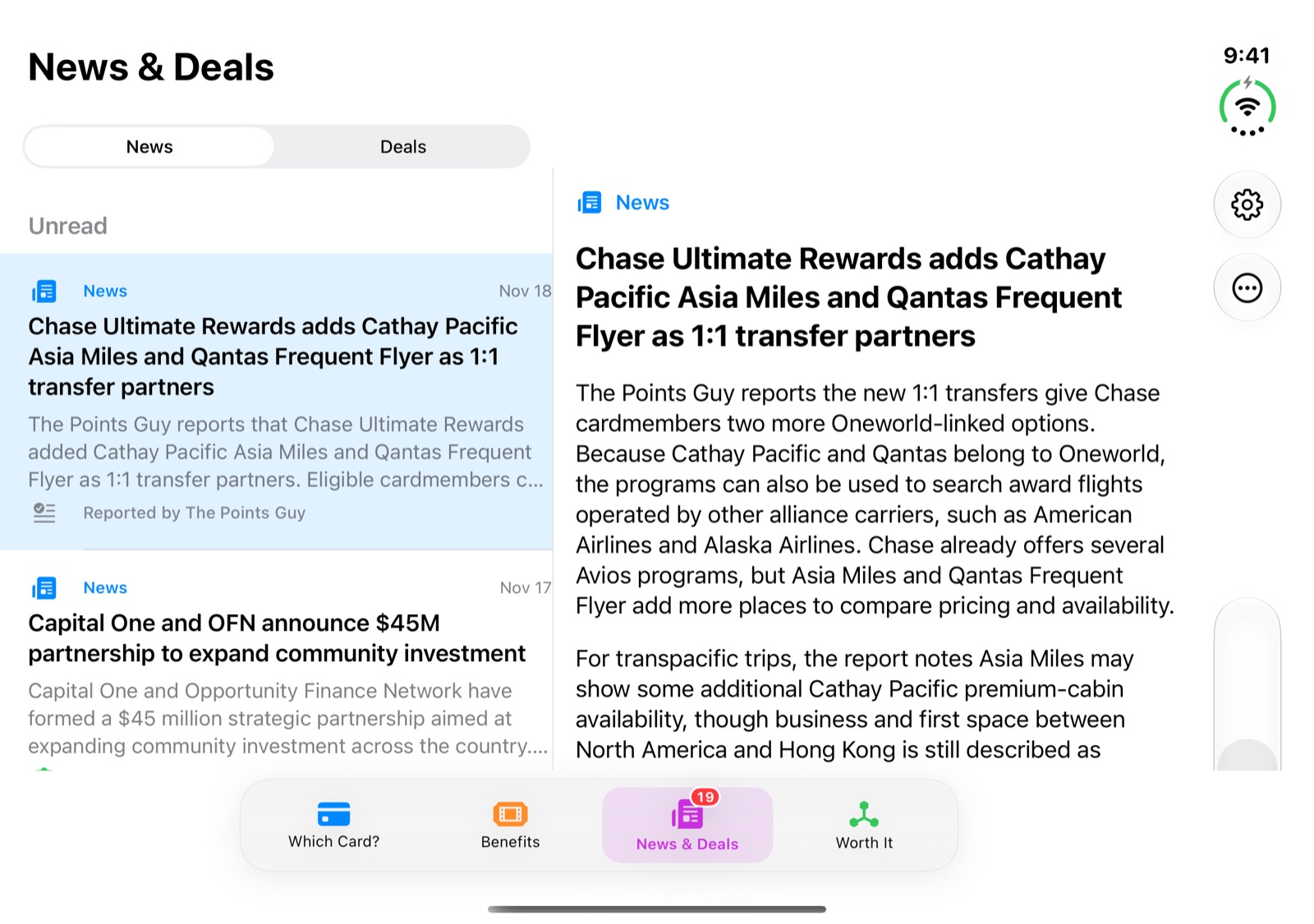
Fold it and keep your place
Close the phone with a story or category open and it stays open on the outer screen, with a Back button. Open it again and it moves back beside the list. Benefits, the Points guide and card answers keep a comfortable reading width instead of running edge to edge, and the tab bar stays centred within reach.
On every other iPhone, and on iPhone Duo's outer screen, CardPecker looks and works as it did before.
Get the update
CardPecker 1.7.8 is a free update for current users. See the CardPecker product page for the full feature overview, or get CardPecker on the App Store. The previous update was CardPecker 1.7.7: News & Deals Put What Matters First.
This article describes CardPecker 1.7.8. Screenshots are from the iPhone Duo simulator.